In my previous article I covered how to get a free TLS certificate for an .ip6.arpa domain using Cloudflare. As of March 2026, that method is dead - Cloudflare quietly disabled certificate issuance for .arpa domains entirely.
And - 3 days later - we have a new approach. This one is actually better: you get a real, downloadable certificate that you control, not one stuck inside CF.
The new method: Actalis Link to heading
Actalis is an Italian CA that offers free 90-day DV certificates via ACME, and crucially they’ll issue them for .arpa domains. Unlike the old approach with CF, you own the private key and can deploy it anywhere.
This guide uses acme.sh and assumes Cloudflare as your DNS provider (though any ACME-compatible DNS provider works fine). You will need:
- A Cloudflare API token with
Zone:DNS:Editpermission for your zone - An Actalis account with EAB credentials (free, no card required)
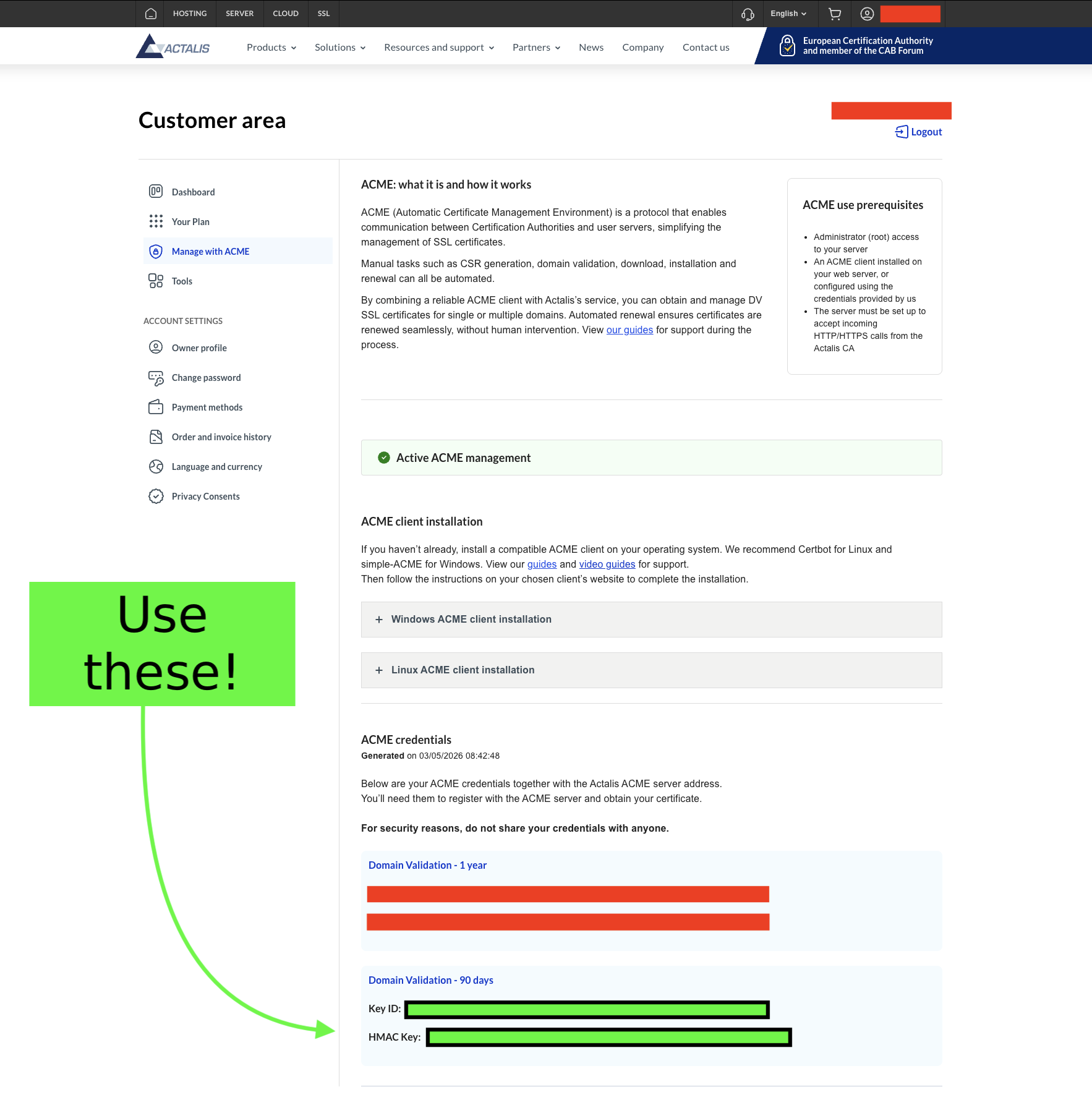
Register for a free account with Actalis (No card required). Once logged in, go to the ‘Manage with ACME’ page where you will find an EAB key pair - you’ll receive a Key ID (--eab-kid) and an HMAC key (--eab-hmac-key). It is important that you use the Domain Validation - 90 days key pair and not the year-long ones as you’re using the free tier.
Issuing the certificate Link to heading
First, install acme.sh.
Run the following command to register your account using your Actalis EAB credentials:
acme.sh --register-account \
  --server https://acme-api.actalis.com/acme/directory \
  --eab-kid "YOUR_KEY_ID" \
  --eab-hmac-key "YOUR_HMAC_KEY" \
  -m you@example.com
If everything goes well (and at this point, why wouldn’t it?), issue the certificate:
CF_Token="YOUR_CLOUDFLARE_API_TOKEN" \
acme.sh --issue \
  -d b.4.0.c.7.0.4.1.a.2.ip6.arpa \
  --dns dns_cf \
  --server https://acme-api.actalis.com/acme/directory
acme.sh will add a _acme-challenge TXT record to your Cloudflare zone, wait for propagation, complete the challenge, and hand you a signed certificate.
Now install the certificate (example with nginx):
acme.sh --install-cert \
  -d b.4.0.c.7.0.4.1.a.2.ip6.arpa \
  --key-file /etc/nginx/ssl/b.4.0.c.7.0.4.1.a.2.ip6.arpa.key \
  --fullchain-file /etc/nginx/ssl/b.4.0.c.7.0.4.1.a.2.ip6.arpa.crt \
  --reloadcmd "systemctl reload nginx"
The --reloadcmd is stored in the cert’s config and runs automatically after each renewal, so you only need to do this once.
acme.sh installs a cron job at install time that runs acme.sh --cron daily. Any certs are automatically renewed.
Comparison Link to heading
| Cloudflare | Actalis | |
|---|---|---|
| Cost | $0 | $0 |
| Managed service | Yes | No |
| You own the private key | No | Yes |
| Requires Cloudflare proxy | Yes | No |
Ironically, Cloudflare killing off .arpa certificate support pushed us toward a better solution: You actually own your private key now and don’t need Cloudflare sitting in the middle doing you a favour.